The Only Standalone Solution to Dropship using Opencart
Take advantage of the best dropshipping tools & sell from your Opencart store. Browse 1 million products and process unlimited orders.

Choose products
Configure your feed
Import products & start selling
Process your orders

The most powerful & complete solution for dropshipping using Opencart you can find
With an aim to help you grow your business, Dropship2UK works towards creating better tools for inventory management and feed creations for your e-commerce store built with Opencart.
- Get HD images of dropship-ready products
- Enhance your Opencart experience
- Earn profits and increase recurring income
- Stay worry-free as we take care of the tracking codes
- 100% white-labeled, oblivious to your customers
Built for dropshipping enthusiasts and newcomers alike
Combine most-profitable dropshipping products and state-of-art tools and you will get us: Dropship2UK.
Packed with automated workflows, our Opencart Dropshipping plan will enable you to generate import-friendly feed files for your Opencart 3.x store.
The process is as easy it gets - add or remove products, configure global selling profits, and tweak content of the products and then generate your download links.
Dropship2UK will help you gain access to a wide variety of Dropship products and get a chance to maximize your profits with genuine wholesale prices.
Get Started Free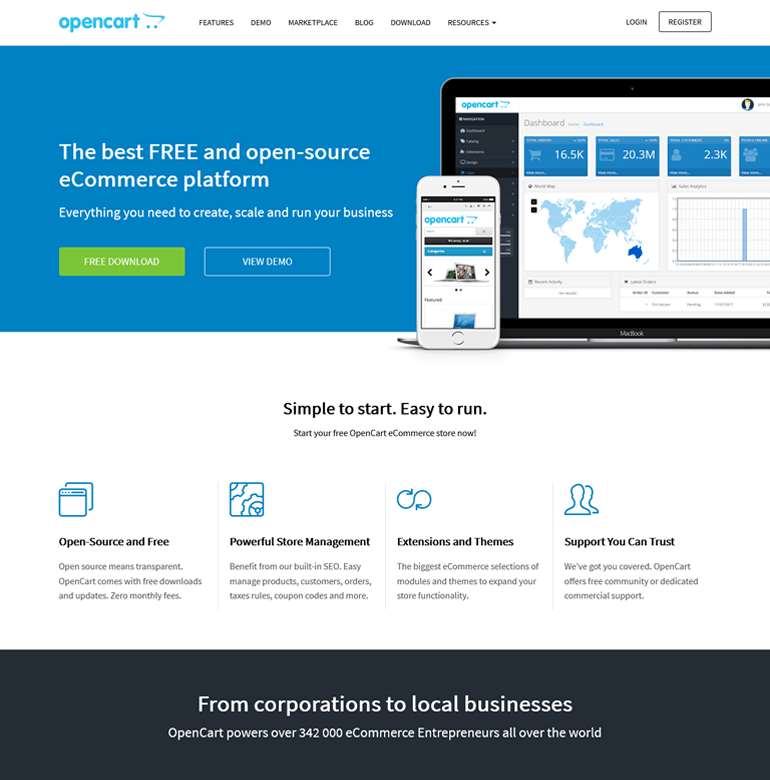
Frequently Asked Questions
Opencart Dropshipping App
Master Dropshipping on Opencart with Dropship2UK Integration
In this article, we will guide you through setting up your OpenCart store for dropshipping success, step by step. From integrating Dropship2UK with Opencart, managing your inventory and orders, to fine-tuning your e-commerce strategy for optimal performance, we have you covered.
Our focus will be on delivering actionable insights and practical tips to not only help you get started but also to grow and sustain your dropshipping business effectively.
Setting Up Your OpenCart Store for Dropshipping
To set up your OpenCart store for dropshipping, we will guide you through three essential steps: installing OpenCart, configuring basic settings, and choosing a suitable theme.
Installing OpenCart
The first step is to download and install the OpenCart platform on your server or hosting environment. You can find the latest version of OpenCart on their official website. Once downloaded, follow the installation wizard to complete the setup process. This typically involves creating a database, configuring file permissions, and entering your store details.
Configuring Basic Settings
After successful installation, you'll need to configure some basic settings to prepare your store for dropshipping. Access the OpenCart admin panel and navigate to the “System” section. Here, you can set up your store's general settings, such as currency, language, and tax rates. Additionally, configure your shipping and payment methods to ensure a seamless checkout process for your customers.
Choosing and Installing a Suitable Theme
A visually appealing and user-friendly theme is crucial for attracting and retaining customers. OpenCart offers a wide range of free and premium themes to choose from. Consider your niche, brand identity, and desired functionality when selecting a theme. Once you've chosen a theme, follow the installation instructions provided by the theme developer to integrate it into your OpenCart store.
Integrating Dropship2UK with OpenCart
To seamlessly integrate Dropship2UK with your OpenCart store, we'll guide you through three crucial steps: creating a Dropship2UK account, linking it to your OpenCart store, and setting up product imports.
Creating a Dropship2UK Account
The first step is to sign up for a Dropship2UK account. Their platform offers access to over 1 million products across various niches, allowing you to curate a diverse and profitable product catalog for your dropshipping business.
- Visit the Dropship2UK website and click on the “Sign Up” button.
- Complete the registration process by providing the required information, such as your business details and contact information.
- Once your account is created, you'll have access to the Dropship2UK dashboard, where you can browse and manage products.
Linking Dropship2UK to OpenCart
After creating your Dropship2UK account, you'll need to establish a connection between Dropship2UK and your OpenCart store. This integration will enable seamless product imports and order management.
- Log in to your Dropship2UK account and navigate to the “Integrations” section.
- Select “OpenCart” from the list of available integrations.
- Follow the on-screen instructions to link your OpenCart store to your Dropship2UK account. This typically involves providing your OpenCart store's URL and authentication details.
Setting Up Product Imports
With the integration established, you can now set up product imports from Dropship2UK to your OpenCart store. This process allows you to curate your product catalog and keep it updated with the latest offerings.
- From your Dropship2UK account, browse the extensive product catalog and select the items you wish to sell on your OpenCart store.
- Utilize Dropship2UK's powerful tools to customize product titles, descriptions, and pricing to align with your branding and profit margins.
- Once you've finalized your product selections and customizations, generate import-ready files for your OpenCart store.
- Import the generated files into your OpenCart store, and the selected products will be automatically added to your product catalog, ready for sale.
By following these steps, you'll successfully integrate Dropship2UK with your OpenCart store, unlocking a world of dropshipping opportunities. With access to a vast product catalog and streamlined order management, you'll be well-equipped to grow your dropshipping business and provide your customers with a diverse and profitable shopping experience.
Managing Your Dropshipping Business
Managing your dropshipping business on OpenCart with Dropship2UK integration involves several key aspects. Let's explore them in detail.
Selecting Products to Sell
Choosing the right products is crucial for success. We recommend browsing Dropship2UK's extensive catalog of over 1 million products across various niches. Utilize their powerful search filters and narrowing options to find dropship-ready products that align with your niche(s). You can add single items, entire categories, or even an entire supplier's inventory to your list.
Applying Pricing Markups
Once you've selected your products, you can apply global selling markups, customize titles, descriptions, and prices to align with your branding and desired profit margins. Dropship2UK allows you to make these adjustments directly on their platform, ensuring your product listings are tailored to your business needs.
Synchronizing Inventory
To keep your customers informed about product availability, you'll need to regularly download and import the inventory feeds generated by Dropship2UK's algorithms. This process ensures that your OpenCart store reflects accurate stock levels, preventing overselling or disappointing customers. It's recommended to monitor your product list and import updated feeds at least once every two days.
By leveraging Dropship2UK's integration with OpenCart, you can streamline your dropshipping operations, curate a diverse and profitable product catalog, and provide your customers with a seamless shopping experience.
Conclusion
Mastering dropshipping on Opencart with the aid of Dropship2UK integration offers an unparalleled advantage to entrepreneurs aiming for success in the online retail world. Throughout this article, we explored the crucial steps for setting up and managing an efficient dropshipping business, from the initial installation and thematic customization of your OpenCart store to the pivotal strategies for product selection, pricing markups, and inventory synchronization using Dropship2UK's expansive resources. By adhering to the insights and practical advice provided, entrepreneurs are equipped to navigate the complexities of e-commerce with ease, ensuring a diverse, competitive, and profitable online store.
The integration of Dropship2UK with Opencart not only simplifies the operational aspects of a dropshipping business but also opens up a world of possibilities for scaling and sustaining growth in the competitive e-commerce landscape. Emphasizing the significance of choosing the right products, applying strategic pricing markups, and maintaining synchronized inventory levels underscores the article's core thesis: that success in dropshipping is attainable with the right tools and an effective strategy. As such, the insights shared herein serve as a comprehensive guide for aspiring e-commerce entrepreneurs, offering both a foundational blueprint and the encouragement to explore further opportunities for innovation and expansion in the dynamic world of online retail.
Try Dropship2UK Totally Risk-Free
-

-

-

-

-

-
500K+